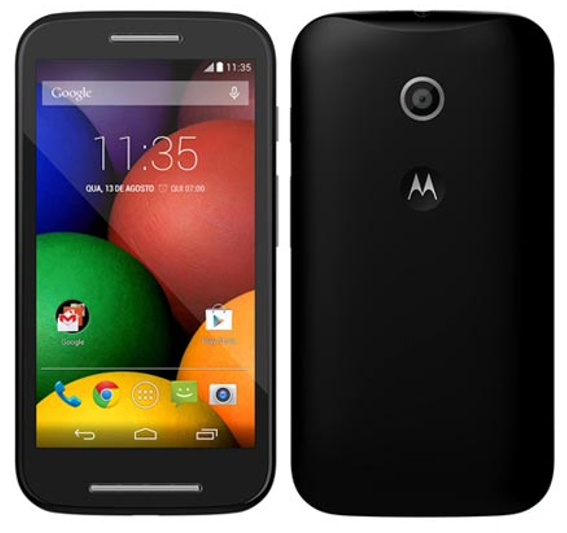
Motorola launched its budget smartphone Moto E last week. The comes at a great price of Rs. 6,999. If you haven’t bought it then you can buy it from Flipkart. The phone runs of Android Kitkat 4.4.2. The phone has stock android Experience, but still some people want to root their smartphone.
Earlier I have posted the tutorials to Moto G and Moto X and now I am posting the tutorial for rooting Moto E. Motorola Moto E comes in dual sim and single sim, so both XT1021 and XT1022 devices can be rooted with this method.
The Rooting Process involves two steps:
- First step is unlocking the bootloader.
- Second step is Rooting the device.
Note:
- Rooting your device will void your warranty and you will not receive any OTA Update from Motorola though you can revert back to stock version and receive OTA updates, but you cannot regain your warranty.
- Rooting Process will wipe all your data, so before proceeding, make sure you have backed up all your phone data.
Pre-Requisites and Downloads:
Before proceeding, you need to download below files:
- Motorola device drivers drivers from here.
- Android SDK from here.
- TWRP Recovery from here.
- SuperSU from here.
- mFastBoot from here
Install the Android SDK and copy mFastBoot file in the ADB directory, that is in the C:\Program Files\android-sdk\platform-tools directory.
Steps for rooting Moto E:
After downloading the above files, installing the Android SDK and coping the mfastboot files. Follow steps below
Unlocking Bootloader:
- You need tounlockbootloaderin order to root the device. Tounlockbootloader follow steps below:
- Put your device in bootloader mode – Turn off the phone then turn on with the ‘volume down’ button pressed to enter the bootloader.
- Open command prompt and type :
CD C:\Program Files\Android\android-sdk\platform-tools
- Connect device to PC and then type Type:
fastboot oem get_unlock_data
- The output will look like this:
(bootloader) 0A40040192024205#4C4D3556313230
(bootloader) 30373731363031303332323239#BD00
(bootloader) 8A672BA4746C2CE02328A2AC0C39F95
(bootloader) 1A3E5#1F53280002000000000000000
(bootloader) 0000000 - Now copy the above string without (bootloader), The string will look like this
0A40040192024205#4C4D355631323030373731363031303332323239#BD008A672BA4746C2CE02328A2AC0C39F951A3E5#1F532800020000000000000000000000
- Now, Goto Motorola website to unlock the bootloader of Moto E.
- Enter the String which you received in above steps (paste your bootloader key, don’t paste the above key)
- After entering above key, you will get your unlock key by email, Copy your unlock key and then type
fastboot oem unlock UNLOCK_KEY
- Now your device is unlocked.
Rooting:
- Put your device in bootloader mode and copy SuperSU.zip in the phone.
- Now to root the device follow these steps:
- Open command Prompt and type:
CD C:\Program Files\Android\android-sdk\platform-tools
- Now, Type:
fastboot flash recovery recovery.img
- Disconnect device from PC;
- Then get into recovery mode by pressing the Volume Down button to highlight recovery mode and then pressing the Volume Up button to select the recovery mode;
- You should now have booted into the Team Win Recovery Project custom recovery. Click on Install to install SuperSu. Scroll down to find the sdcard and select it.
- Then scroll down to download and select it.
- Select the SuperSU zip file and swipe to install.
- Open command Prompt and type:
- Now, your device is rooted.
For any problem you can follow the original thread at XDA.
In this way, you can unlock the bootloader and root the Motorola Moto E.