
To overcome this issue, SanDisk has launched its SanDisk iXpand Flash Drive. With this flash drive, you can access the data from pen drive on your iPhone or iPad. The iXpand Flash drive can also be connected on computer or Mac. We will be reviewing the flash drive and see how it scores. Earlier we have also reviewed the the SanDisk Ultra Dual USB 3 Drive.
One may say that Apple offers iPhone with 128GB storage or even 256GB storage on an iPad. But that solves only one problem which is internal storage. With 128GB variant you can have more storage on your iPhone but still you can’t move data easily. So with this SanDisk iXpand Flash Drive, you can access data from pen drive.
So Let’s start the detailed review of SanDisk iXpand Flash Drive for iPhone:
SanDisk iXpand Flash drive comes in metallic body, like Apple products, it does give premium feel. The iXpand flash drive doesn’t looks like normal pen drives or OTG pen drives. The Flash drive is big and has battery inside it.

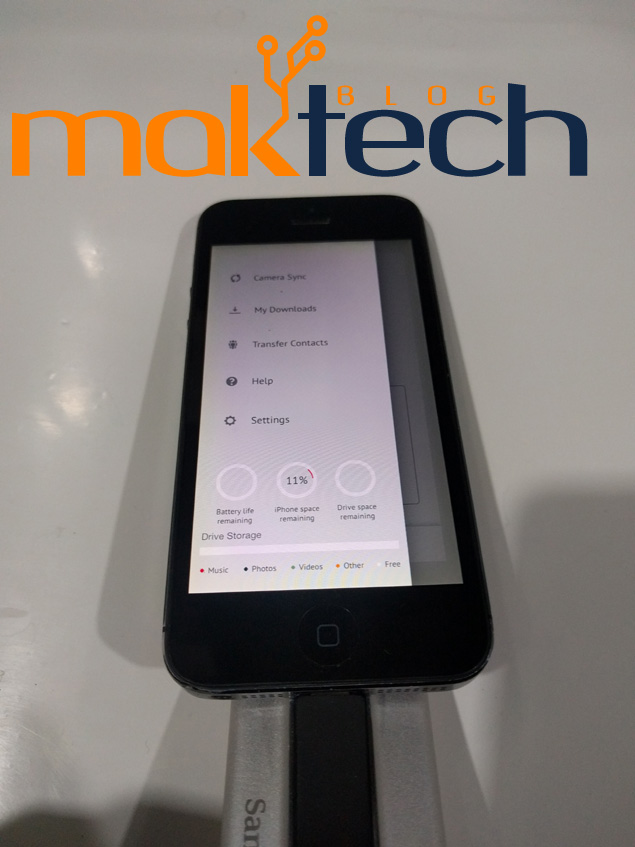
To insert the pen drive into iPhone or iPad, pull up the lightning connector on SanDisk iXpand Flash drive and insert it into your iPhone lightning port. This is how it looks when inserted into iPhone. By the way that’s an old iPhone 5 not the recently launched Apple iPhone SE. When inserted, the drive looks odd due to its different design.

Due to Apple Sandbox environment, SanDisk iXpand Flash Drive can be accessible from the official app only. You can Sync Photos and Videos from the camera roll only.
You can add movies and photos into the iXpand drive from the computer and access it into your iPhone. You can watch the movies directly from the pen drive without copying it to iPhone. The app also allows to backup and transfer contacts. This is how the app UI looks:
You check out our unboxing video below:
